
Microsoft Certifications: The Ultimate 2026 Guide to Choosing the Right Path, Boosting Your Salary, and Fast-Tracking Your Tech Career

The tech job market in 2026 is more competitive than ever. While thousands of candidates chase the same positions, Microsoft certifications have become the differentiator that separates those who get interviews from those whose resumes get ignored.
But here’s the challenge: Microsoft offers over 50 different certifications across Azure, Microsoft 365, Security, Data, AI, and Business Applications. How do you know which ones actually matter for your career goals? Which certifications deliver the best return on your time investment?
This guide cuts through the noise. We’ll show you exactly which Microsoft certifications align with different career paths, what they pay, how long they take to earn, and which ones give you the fastest path to better job opportunities.
☑️ Key Takeaways
- Microsoft certifications can boost your salary by 8-15% and open doors to roles paying $80,000-$150,000+ annually across cloud, security, and data specializations
- Entry-level fundamentals certifications (AZ-900, AI-900, SC-900) require just 20-40 hours of study and validate foundational knowledge that employers actively seek
- Role-based associate certifications lead to the highest ROI with Azure Administrator (AZ-104) and Power BI Data Analyst roles seeing massive hiring demand in 2026
- Professional certifications require annual renewal through free online assessments, keeping your credentials current and protecting your competitive advantage
Disclosure: This article contains affiliate links. If you purchase through these links, we may earn a commission at no additional cost to you.
Why Microsoft Certifications Still Matter in 2026
The data tells a compelling story. According to Pearson VUE’s 2025 Value of IT Certification Report, 63% of professionals received or expected a job promotion after earning their certification. That’s not just a credential boost but actual career acceleration.
Microsoft-certified professionals earn significantly more than their non-certified peers. Research shows that certified IT professionals earn an average of 8-15% more than those without certifications. In high-demand specializations like Azure architecture and cybersecurity, that gap widens even further.
The employment outlook supports this investment. The U.S. Bureau of Labor Statistics projects that computer and IT fields will grow much faster than average through 2033. Organizations are desperately seeking professionals who can manage cloud infrastructure, implement security controls, analyze data, and build business applications.
Here’s what makes Microsoft certifications particularly valuable in 2026:
- Real-world validation: They prove you can perform actual job tasks, not just pass theoretical tests
- Automated screening advantage: Many companies filter resumes by certification keywords before human review
- Global recognition: Microsoft credentials are respected by employers worldwide across all industries
- Clear career progression: The certification framework shows exactly what skills you need for advancement
- Annual renewal keeps you current: Unlike older certifications that became outdated, modern Microsoft credentials stay relevant
If you’re looking to validate your broader technical expertise, check out our guide on certifications for your resume in 2026 to see how Microsoft credentials stack up against other industry certifications.
Here’s what most people don’t realize: employers now expect multiple technical competencies, not just one specialization. The days of being “just a marketer” or “just an analyst” are over. You need AI skills, project management, data literacy, and more. Building that skill stack one $49 course at a time is expensive and slow. That’s why unlimited access makes sense:
Your Resume Needs Multiple Certificates. Here’s How to Get Them All…
We recommend Coursera Plus because it gives you unlimited access to 7,000+ courses and certificates from Google, IBM, Meta, and top universities. Build AI, data, marketing, and management skills for one annual fee. Free trial to start, and you can complete multiple certificates while others finish one.
Understanding Microsoft’s Certification Framework
Microsoft structures its certifications into four distinct levels, each serving different career stages and technical depths.
Fundamentals Certifications
- Entry-level knowledge across major technology areas
- No prerequisites required
- 20-40 hours of study time
- Perfect for career changers, recent graduates, or professionals exploring new domains
- Examples: AZ-900 (Azure), AI-900 (AI), SC-900 (Security)
Associate-Level Certifications
- Target professionals with 1-2 years hands-on experience
- Validate ability to perform specific job roles (administrator, developer, analyst)
- Considered minimum bar for mid-level positions by most hiring managers
- 40-60 hours of study including significant hands-on practice
- Examples: AZ-104 (Azure Admin), PL-300 (Power BI), AZ-204 (Azure Developer)
Expert-Level Certifications
- Demonstrate mastery of complex, enterprise-scale solutions
- Prove you can design architectures and make strategic technology decisions
- Typically required for senior engineer and architect roles
- 60-80+ hours of advanced study
- Usually require associate-level certification as prerequisite
Specialty Certifications
- Focus on specific, in-demand technologies like AI, IoT, or Windows Server
- Complement other credentials and position you as subject matter expert
- Niche expertise that commands premium compensation
The beauty of this structure? You can start at any level that matches your current experience and progressively advance as your skills grow.
Certification Paths for Different Career Stages
Path 1: Absolute Beginners and Career Changers
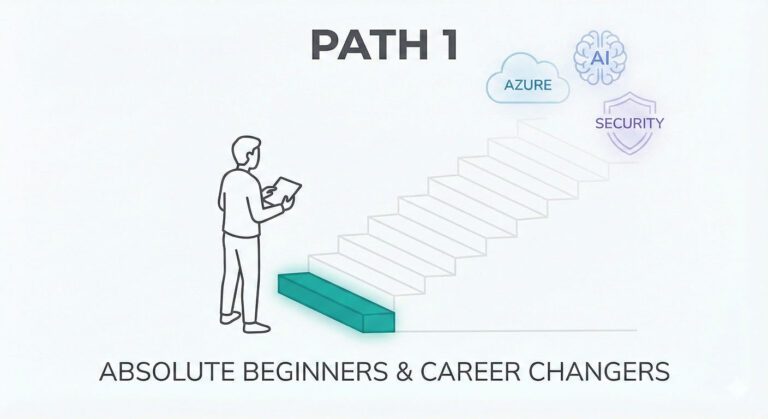
Starting with zero IT experience? Don’t worry. Microsoft designed fundamentals certifications specifically for people like you.
Azure Fundamentals (AZ-900) is the single best starting point for anyone entering IT in 2026. This certification covers basic cloud concepts, core Azure services, security, privacy, and pricing. Entry-level cloud roles start at $55,000-$75,000 with this credential, and it creates a clear path toward more advanced certifications.
The exam requires about 20-30 hours of study spread over 2-4 weeks. Microsoft provides free training modules through Microsoft Learn that cover every exam objective with hands-on labs.
AI Fundamentals (AI-900) is your second-best option if you’re drawn toward artificial intelligence and machine learning. This certification introduces cloud-based AI services, machine learning basics, and data concepts. With AI reshaping every industry, this foundational knowledge opens doors across multiple career paths.
Security Fundamentals (SC-900) addresses the growing demand for security knowledge in every IT role. This certification covers security, compliance, and identity fundamentals across Microsoft 365, Azure, and other cloud services. Cybersecurity skills are increasingly non-negotiable, even for roles that aren’t primarily security-focused.
You can explore more entry-level opportunities in our guide to best entry-level jobs for 2025.
Interview Guys Tip: Don’t skip the fundamentals even if you have some experience. These certifications build crucial vocabulary and conceptual understanding that make advanced certifications much easier to tackle. They also show hiring managers you’ve built a solid foundation rather than jumping straight into advanced topics without understanding the basics.
Path 2: Early-Career Professionals (1-3 Years Experience)
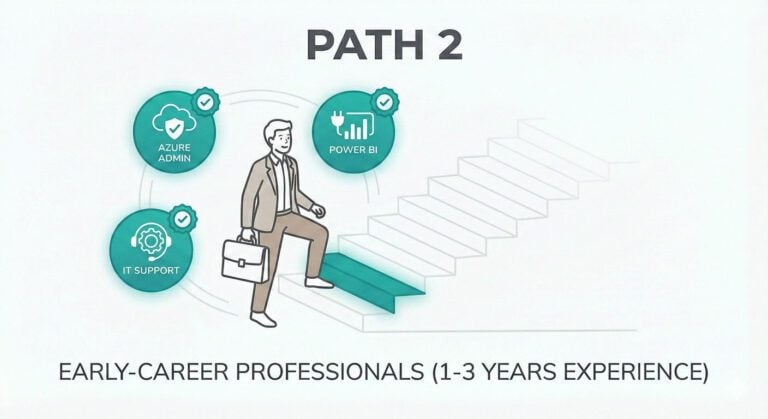
You’ve got some hands-on experience under your belt. Now it’s time to formalize that knowledge and position yourself for mid-level roles.
Microsoft IT Support Specialist Professional Certificate on Coursera provides comprehensive training across troubleshooting, networking, security, and cloud fundamentals. This program prepares you for several Microsoft certifications while building practical skills employers actually need.
Start your Microsoft IT Support Specialist journey here and gain job-ready skills in just 3-6 months of part-time study.
Azure Administrator Associate (AZ-104) is consistently ranked as the most valuable Microsoft certification for early-career professionals. This credential validates your ability to implement, manage, and monitor Azure environments including virtual networks, storage, compute, identity, security, and governance.
Azure Administrators earn an average of $95,000-$110,000 annually. More importantly, this certification creates clear advancement paths toward Azure Solutions Architect Expert and other senior roles.
The exam requires solid understanding of Azure services, PowerShell, Azure CLI, and ARM templates. Plan for 40-60 hours of study including significant hands-on practice in an Azure environment.
Power BI Data Analyst Associate (PL-300) is perfect if you’re interested in data visualization and business intelligence. Organizations across every industry need professionals who can transform raw data into actionable insights through compelling visualizations.
Master Power BI with Microsoft’s Professional Certificate and learn to create dashboards that drive business decisions.
Power BI Data Analysts typically earn $75,000-$95,000, with strong demand across finance, marketing, operations, and executive teams. This certification validates your ability to prepare data, model data, visualize and analyze data, and deploy and maintain assets.
For professionals interested in business analysis from a broader perspective, the Microsoft Business Analyst Professional Certificate combines process improvement, requirements gathering, and stakeholder management with Microsoft tools.
Explore the Business Analyst certification path to position yourself as a strategic bridge between business needs and technical solutions.
Looking to boost your resume with the right skills? Our article on how to list skills on a resume shows you exactly how to present your Microsoft certifications and technical abilities.
Path 3: Mid-Career Professionals Seeking Advancement
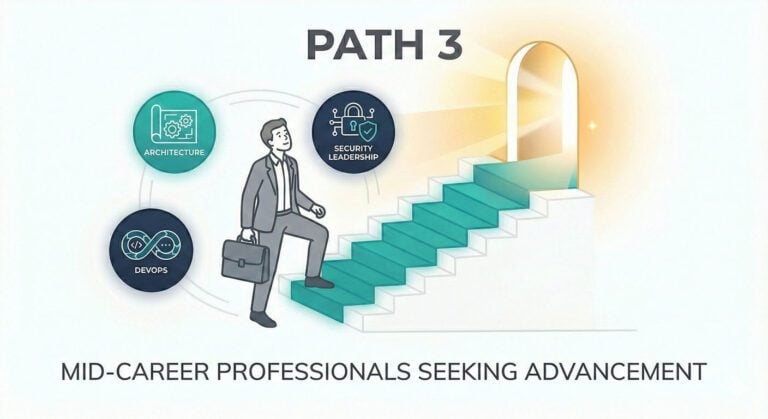
You’re an established IT professional ready to move into senior technical roles or specialized positions. These certifications separate you from the pack.
Azure Solutions Architect Expert (AZ-305) is one of the most prestigious and highest-paying Microsoft certifications. This credential validates your ability to design solutions that run on Azure, covering compute, network, storage, monitoring, and security.
Azure Solutions Architects command salaries of $120,000-$160,000+ depending on location and industry. More importantly, this certification positions you as a strategic technology leader who influences infrastructure decisions and long-term platform direction.
Prerequisites include passing the Azure Administrator Associate certification first. Expect to invest 60-80 hours of advanced study covering enterprise-scale architecture patterns, hybrid networking, governance strategies, and cost optimization.
Cybersecurity Analyst Professional Certificate addresses one of the hottest career paths in technology. Organizations face constant security threats, and certified cybersecurity professionals are in desperately short supply.
Launch your cybersecurity career with Microsoft’s comprehensive program covering threat detection, security operations, and incident response.
This certification path prepares you for roles paying $90,000-$130,000 with clear advancement toward senior security engineer and security architect positions. You’ll learn to implement and manage security controls, respond to incidents, and build comprehensive security strategies.
Azure DevOps Engineer Expert (AZ-400) validates your ability to combine people, processes, and technologies to continuously deliver valuable products and services. DevOps engineers who can bridge development and operations teams are increasingly critical as organizations accelerate their release cycles.
This certification requires either the Azure Administrator Associate or Azure Developer Associate as a prerequisite. You’ll need deep understanding of source control, continuous integration/continuous deployment (CI/CD), infrastructure as code, and monitoring strategies.
Interested in breaking into tech leadership? Check our guide on highest-paying tech jobs to see where these Microsoft certifications can take your career.
Interview Guys Tip: At the mid-career level, don’t just collect certifications. Choose credentials that align with your company’s technology stack and strategic direction. If your organization is heavily invested in Microsoft 365, pursue those certifications. If you’re in a cloud-first company, focus on Azure. Strategic alignment accelerates both certification value and career advancement.
Path 4: Specialized Career Tracks
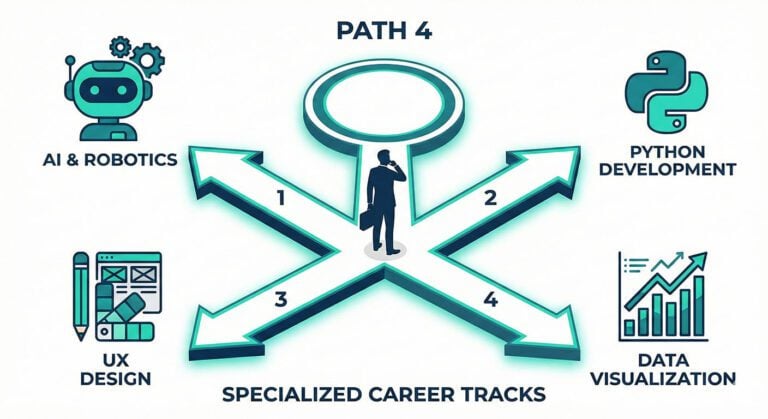
Some professionals want to deep-dive into specific technology areas rather than broad IT roles. Microsoft offers specialized certifications for these focused career paths.
AI & ML Engineering Professional Certificate prepares you for the explosive growth in artificial intelligence and machine learning roles. This program covers data preparation, model development, deployment, and monitoring using Azure AI services.
Start building AI solutions with Microsoft’s ML Engineering certification and position yourself for roles paying $110,000-$150,000+.
AI and ML engineers are among the highest-paid technology professionals. Even entry-level AI roles start around $95,000, with senior positions reaching well into six figures. The field is growing faster than almost any other technology specialization.
Python Development Professional Certificate validates your ability to build applications, work with data, and implement solutions using Python. This certification complements Azure development credentials and opens opportunities in data science, automation, and backend development.
Master Python development through Microsoft’s hands-on program and gain skills that translate across multiple career paths.
Python developers earn $85,000-$120,000 depending on experience and specialization. The language’s versatility makes this certification valuable whether you’re building web applications, analyzing data, automating workflows, or developing AI solutions.
UX Design Professional Certificate is perfect for professionals who want to design user experiences for Microsoft products and modern applications. This certification covers user research, interaction design, prototyping, and usability testing.
Launch your UX career with Microsoft’s comprehensive design program and learn to create experiences users love.
UX designers working with Microsoft technologies earn $75,000-$110,000, with demand especially strong in companies building enterprise applications, productivity tools, and business software.
For those exploring alternative career paths, our article on interesting jobs that pay well in 2026 highlights how specialized tech skills open unexpected opportunities.
How to Choose the Right Certification Path
Choosing the wrong certification wastes time and money. Here’s how to make the smart choice:
Start with your career goal, not the certification
- Write down the specific job title you want in 2-3 years
- Research job postings for that position
- Identify which certifications appear most frequently in requirements
- That’s your target certification
Consider your experience level honestly
- Don’t jump to expert certifications without foundational knowledge
- Build progressively, even if it takes longer
- Skipping levels leads to frustration and exam failure
Align with your organization’s technology stack
- If your company runs on Microsoft 365, focus there first
- Cloud-heavy organizations prioritize Azure certifications
- Choose credentials that solve problems you face daily
Factor in market demand for your location
- Some certifications are more valuable in certain geographic markets
- Azure dominates in tech hubs and large enterprises
- Microsoft 365 certifications are valuable across all organization sizes
Calculate time investment realistically
- Most professionals underestimate study time by 30-40%
- Add buffer to your timeline, especially while working full-time
- Plan for hands-on practice, not just reading
The Microsoft Learn platform provides official learning paths for every certification, helping you assess the scope and depth before committing.
Study Strategies That Actually Work
Passing Microsoft certification exams requires more than just reading documentation. Here are proven strategies that maximize your success rate:
Use Microsoft Learn as your primary resource
- Free, interactive training modules created by exam writers
- Covers every exam objective with hands-on labs
- Practice in real Azure environments at no cost
- Updated regularly to reflect latest exam changes
Build a realistic study schedule
- Study 5-10 hours per week for 4-8 weeks (not cramming)
- Block specific hours on your calendar
- Treat study time as non-negotiable appointments
- Consistent, spaced repetition beats marathon sessions
Get hands-on experience
- You cannot pass associate-level exams through reading alone
- Actually configure services, troubleshoot issues, implement solutions
- Use free Azure credits and sandbox environments
- Practice until tasks become automatic
Join study groups and communities
- Microsoft certification subreddits, Discord servers, LinkedIn groups
- Share study tips, practice questions, and support
- Learn from others’ experiences and perspectives
- Stay motivated through group accountability
Take practice exams under test conditions
- Microsoft provides official practice assessments
- Simulate actual exam experience with time pressure
- Identify weak areas before the real exam
- Get comfortable with question format and pacing
Schedule your exam to create accountability
- Register 4-6 weeks out to create concrete deadline
- Having a scheduled exam prevents endless studying
- Forces commitment to your preparation plan
- Creates healthy pressure to stay on track
For more study strategies, check out our guide on online learning for career advancement with proven techniques that work across all professional certifications.
Interview Guys Tip: Don’t just memorize exam content. Focus on understanding the “why” behind each concept and how it applies to real-world scenarios. Microsoft’s exam questions increasingly test practical application rather than rote memorization. If you can explain a concept to a colleague, you’re ready for the exam.
The Real ROI: Career Impact Beyond Salary
Microsoft certifications deliver value that extends far beyond immediate salary bumps:
Interview and Screening Advantages
- Dramatically increase your interview rate with automated screening systems
- Many companies filter resumes by certification keywords before human review
- Without credentials, your resume may never reach hiring managers
- Certifications get you past the initial gatekeepers
Negotiating Power
- Provide concrete proof of expertise during salary discussions
- Third-party validation of your skills and commitment
- Leverage for promotions, raises, and new opportunities
- Quantifiable achievement that justifies higher compensation
Clear Career Progression
- Microsoft’s framework shows exactly what skills you need next
- Eliminates guesswork about advancement requirements
- Creates roadmap from entry-level to senior positions
- Structured path from fundamentals to expert credentials
Confidence and Credibility Boost
- Passing challenging exams proves you can achieve ambitious goals
- Psychological boost impacts how you approach challenges
- Builds self-assurance that translates to interviews and projects
- Demonstrates commitment to professional growth
Expanded Opportunities
- Opens consulting and freelance work that requires certifications
- Many contract positions mandate specific Microsoft credentials
- Easier to land high-paying independent work
- Builds foundation for consulting practice
According to Microsoft’s research, 76% of employees show increased ability to innovate and enhance processes after earning a certification. You’re not just learning technical skills; you’re developing problem-solving capabilities that make you more effective across your entire role.
Want to maximize your certification investment? Our article on how to list certifications on a resume shows you exactly how to present your credentials for maximum impact.
Certification Renewal and Staying Current
Microsoft fundamentally changed its renewal process in recent years, and understanding this shift is crucial for long-term planning.
Most role-based certifications now expire after one year. This might sound like a disadvantage, but it actually protects your career. Technology changes rapidly, and employers need confidence that your certification reflects current capabilities, not outdated knowledge.
Renewal is free and less intensive than the original exam. You renew by passing a short online assessment covering new features and updates to the technology. Most professionals complete renewal in 2-4 hours of study and assessment.
Renewals keep you continuously learning. Rather than earning a certification and never updating your knowledge, the annual renewal ensures you stay current with platform changes, new features, and evolving best practices.
Some fundamental certifications don’t expire. Entry-level certifications like Azure Fundamentals (AZ-900) are currently valid indefinitely, though Microsoft may change this policy in the future.
Expired certifications still show on your Microsoft transcript. Even if you don’t renew, your achievement remains part of your credential history. However, employers increasingly want to see active certifications rather than expired ones.
The renewal process is straightforward through the Microsoft Certification renewal portal. Mark your calendar for 6 months before expiration to ensure you don’t lose your credential status.
Common Mistakes to Avoid
Even experienced IT professionals make these certification missteps that waste time and money:
Pursuing certifications that don’t match career goals
- Just because a certification is popular doesn’t mean it’s right for you
- A Power Platform certification won’t help if you want cybersecurity roles
- Research what employers actually require for your target position
- Align certifications with your 2-3 year career vision
Underestimating hands-on practice requirements
- Cannot pass associate-level exams with only reading or videos
- Need actual experience configuring and troubleshooting
- Hands-on labs are non-negotiable for success
- Practice in real or simulated environments extensively
Jumping to expert certifications without foundation
- Prerequisites exist for good reasons
- Skipping fundamentals creates knowledge gaps
- Gaps become apparent during exams and on the job
- Build progressively even if it takes longer
Relying on brain dumps or cheat sites
- Unethical and doesn’t teach real skills
- You’ll pass the exam but fail in actual work situations
- Employers quickly discover gaps in practical knowledge
- Damages your reputation and career long-term
Failing to leverage earned certifications
- Earn the credential then forget to update resume and LinkedIn
- Certifications have zero value if employers don’t see them
- Update all profiles within 24 hours of passing
- Add certifications to email signature immediately
Letting certifications expire through procrastination
- Start renewal process well before deadline
- Expired certifications signal lack of commitment
- Shows you’re not staying current with technology
- Can damage credibility with current and future employers
Our guide on what certification should I get helps you avoid these mistakes by matching certifications to your specific career situation.
Financial Assistance and Free Resources
Microsoft certifications require investment, but numerous resources can reduce or eliminate costs:
Microsoft Learn: Completely Free Training
- Every certification has official learning path at no cost
- Interactive modules with hands-on labs
- Assessment tools to test your readiness
- Your primary study resource for all levels
Student Discounts and Free Vouchers
- Significant discounts on exam vouchers for enrolled students
- Verify student status through Microsoft Learn
- Sometimes includes completely free exam vouchers
- College credits available for passing certain exams
Microsoft Virtual Training Days
- Free events covering fundamentals topics
- Often include voucher for corresponding certification exam
- Watch the Microsoft Events calendar for opportunities
- No cost to attend online sessions
Azure Free Tier and Trial Credits
- Practice with many Azure services completely free
- $200 credit for new Azure users
- Removes cost barrier for hands-on learning
- Sufficient for most certification preparation needs
Company Education Benefits
- Many employers reimburse exam fees and training
- Part of professional development programs
- Check with HR about available benefits
- Some companies require certifications and will pay
Coursera Financial Aid
- Apply for reduced or zero-cost access
- Available for Microsoft Professional Certificates
- Based on financial need
- Opens access to comprehensive training programs
The key is to leverage these resources strategically rather than assuming certifications are prohibitively expensive.
Future Trends in Microsoft Certifications
Understanding where Microsoft is heading helps you make forward-looking certification choices.
AI and machine learning certifications are expanding rapidly. Microsoft is introducing more credentials focused on Azure AI services, including specialized certifications for AI engineers, data scientists, and AI solution architects. These will be among the most valuable credentials in 2026 and beyond.
Applied Skills credentials complement traditional certifications. Microsoft introduced Applied Skills as scenario-based, practical assessments that prove you can complete specific tasks. These faster, more flexible credentials work alongside traditional certifications.
Business-focused credentials are growing. Microsoft is creating more certifications for non-technical roles that leverage Microsoft technologies. These help business analysts, project managers, and functional consultants validate their expertise.
Security certifications continue to proliferate. As cyber threats evolve, Microsoft is expanding its security certification portfolio. Expect more specialized security credentials covering identity, threat protection, compliance, and security operations.
Microsoft Fabric is replacing older data certifications. The data and analytics certification path is shifting toward Microsoft Fabric, which consolidates Power BI, data engineering, and analytics workflows. Older certifications like DP-203 are being phased out.
Stay informed about certification changes through the official Microsoft Certifications page and adjust your strategy as new credentials emerge.
Taking Action: Your Next Steps
You’ve got the knowledge. Now it’s time to move forward.
Step 1: Define Your Target Role
- Write down specific job title you want in 12-18 months
- Research what certifications appear in those job descriptions
- Identify patterns in requirements across multiple postings
- Focus on certifications that appear repeatedly
Step 2: Assess Your Current Experience Level
- Be honest about your hands-on experience
- Match experience to fundamentals, associate, or expert tier
- Don’t skip levels even if eager to advance
- Building foundation prevents future struggles
Step 3: Choose Your First Certification
- Select ONE certification aligned with goal and experience
- Don’t pursue multiple certifications simultaneously at first
- Prove you can pass one before adding more
- Focus beats scattered effort every time
Step 4: Create Realistic Study Plan
- Map out 6-8 weeks of consistent study time
- Block specific hours on calendar
- Treat study sessions as non-negotiable appointments
- Plan for hands-on practice, not just reading
Step 5: Register for Your Exam
- Schedule exam date 6-8 weeks out
- Creates accountability and motivation
- Having deadline drives consistent preparation
- Reduces endless studying procrastination
Step 6: Leverage Free Resources First
- Start with Microsoft Learn’s official training paths
- Use free resources before investing in paid courses
- Free materials often sufficient for fundamentals and associate levels
- Save money while building solid foundation
Step 7: Update Profiles Immediately After Passing
- Add certification to resume within 24 hours
- Update LinkedIn profile immediately
- Include in email signature
- Don’t wait to leverage your new credential
For more strategies on career advancement, check our comprehensive guide on how to change careers in 2025 with actionable steps that work.
Conclusion: Your Microsoft Certification Strategy for 2026
Microsoft certifications remain one of the most reliable paths to career advancement, higher salaries, and expanded opportunities in technology. The key is choosing the right certification for your current situation and future goals.
Remember: certifications are tools, not magic bullets. They accelerate your career when combined with practical experience, strong communication skills, and strategic career planning. But without the credential, you might never get the chance to demonstrate your other capabilities.
The IT skills gap continues to widen in 2026. Organizations desperately need certified professionals who can manage cloud infrastructure, implement security controls, analyze data, and build business solutions. Your Microsoft certification proves you can deliver these capabilities.
Start with one certification. Master it completely. Then leverage that success to build toward more advanced credentials. This progressive approach builds real expertise while creating tangible career benefits at each stage.
The technology landscape will continue evolving rapidly. Your Microsoft certifications provide the framework to adapt, grow, and thrive regardless of how the market shifts. They’re not just credentials; they’re career insurance in an uncertain world.
Ready to take the next step? Choose your certification today and commit to earning it within the next 90 days. Your future self will thank you for the investment.
Here’s what most people don’t realize: employers now expect multiple technical competencies, not just one specialization. The days of being “just a marketer” or “just an analyst” are over. You need AI skills, project management, data literacy, and more. Building that skill stack one $49 course at a time is expensive and slow. That’s why unlimited access makes sense:
Your Resume Needs Multiple Certificates. Here’s How to Get Them All…
We recommend Coursera Plus because it gives you unlimited access to 7,000+ courses and certificates from Google, IBM, Meta, and top universities. Build AI, data, marketing, and management skills for one annual fee. Free trial to start, and you can complete multiple certificates while others finish one.
After twelve years of writing advice like this, we built the tool that does it with you. It's called Longbow, and here's the whole story.

ABOUT THE INTERVIEW GUYS (JEFF GILLIS & MIKE SIMPSON)
Mike Simpson: Co-founder of The Interview Guys and Longbow. He has been the voice behind our interview advice since 2013 — his work has reached over 100 million job seekers around the world. The strategic mind behind Longbow, our new career platform.
Jeff Gillis: Co-founder of The Interview Guys and Longbow. He built the systems that put our work in front of those readers, and he leads the engineering on Longbow, the cutting edge career platform built for today’s job seeker.